
How to Optimize Website Speed and Images for Better SEO
Learn how to optimize website speed and images for better SEO, improve Core Web Vitals, reduce image size, and create a faster, more user-friendly website.
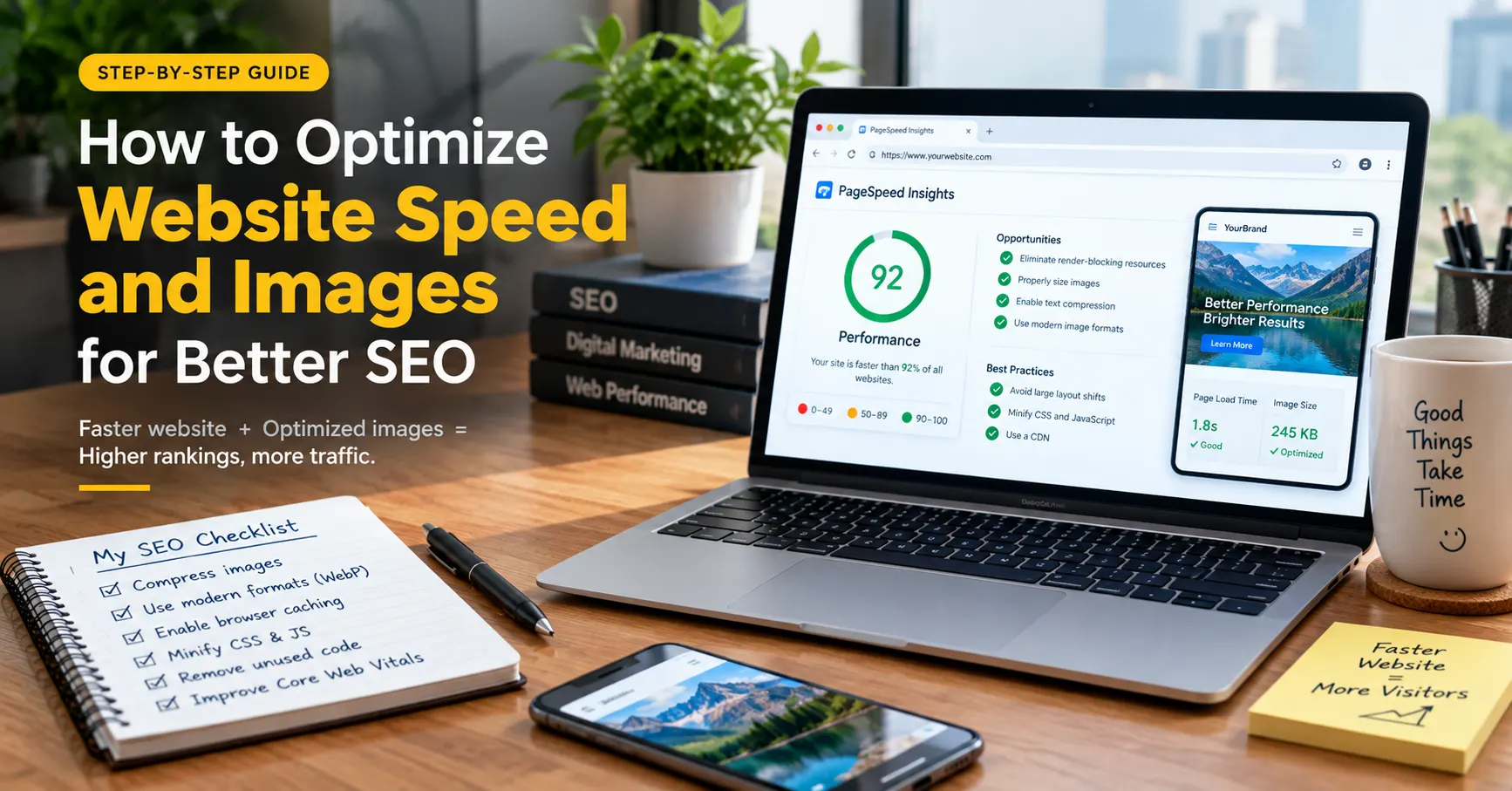
Learn how to optimize your website speed and images to improve SEO, user experience, and search performance.
A slow website can hurt user experience and make it harder for search engines to deliver a strong experience to visitors. In this guide, you’ll learn practical ways to improve website speed, optimize images, reduce page load time, and build a faster, more SEO-friendly website.
Introduction
Website speed and image optimization are two important parts of creating a fast and user-friendly website. A page with large images, unnecessary scripts, or poorly optimized resources can take longer to load and may create a frustrating experience for visitors.
In this guide, you will learn how website speed affects SEO, how images can slow down webpages, how to compress and resize images, which image formats to use, how Core Web Vitals fit into website performance, and how to check whether your optimization efforts are actually working.
AI summary
Website speed optimization helps improve page performance, user experience, and SEO. Large images, unnecessary scripts, and poor website setup can slow down pages. Compressing and resizing images, using modern formats, improving Core Web Vitals, and checking performance with tools like PageSpeed Insights can help create a faster and more SEO-friendly website.
TABLE OF CONTENTS
What Is Website Speed Optimization?
Why Website Speed Matters for SEO
How Images Affect Website Performance
What Are Core Web Vitals?
How to Optimize Website Speed
How to Optimize Images for SEO
What are the steps for Optimizing an Image ?
How to Check Website Speed and Image Performance
Common Website Speed and Image SEO Mistakes
Key Takeaways
FAQs
What Is Website Speed Optimization
Website speed optimization is the process of improving a website so that its pages load, display, and respond efficiently.
When someone visits a webpage, the browser has to download and process different resources. These can include HTML, CSS, JavaScript, images, fonts, videos, and third-party scripts.
Website speed optimization focuses on reducing unnecessary work and delivering important content efficiently.
For example, imagine a blog page containing a 5 MB hero image, several uncompressed images, multiple tracking scripts, and unnecessary plugins. Even if the written content is useful, the page may feel slow.
Now imagine the same page with appropriately sized images, compressed files, efficient code, caching, and only necessary resources. The browser has less data to download and process.
This is the basic idea behind website speed optimization.
Website Speed vs Page Speed
Website Speed | Page Speed |
|---|---|
Refers to the performance of the website as a whole. | Refers to the performance of a specific webpage. |
Gives an overall idea of how quickly different parts of a website perform. | Measures how quickly one particular page loads and responds. |
Can vary across different pages of the same website. | Focuses only on the selected page. |
Example: The homepage, blog, and product pages may all have different loading speeds. | Example: A product page with many images may load slower than the homepage. |
Useful for understanding overall website performance. | Important for testing and improving individual pages for SEO and user experience. |
Quick Tip
Start by testing your most important pages, such as your homepage, service pages, product pages, and high-traffic blog posts. Fix actual performance problems instead of making random changes.
Why Website Speed Matters for SEO
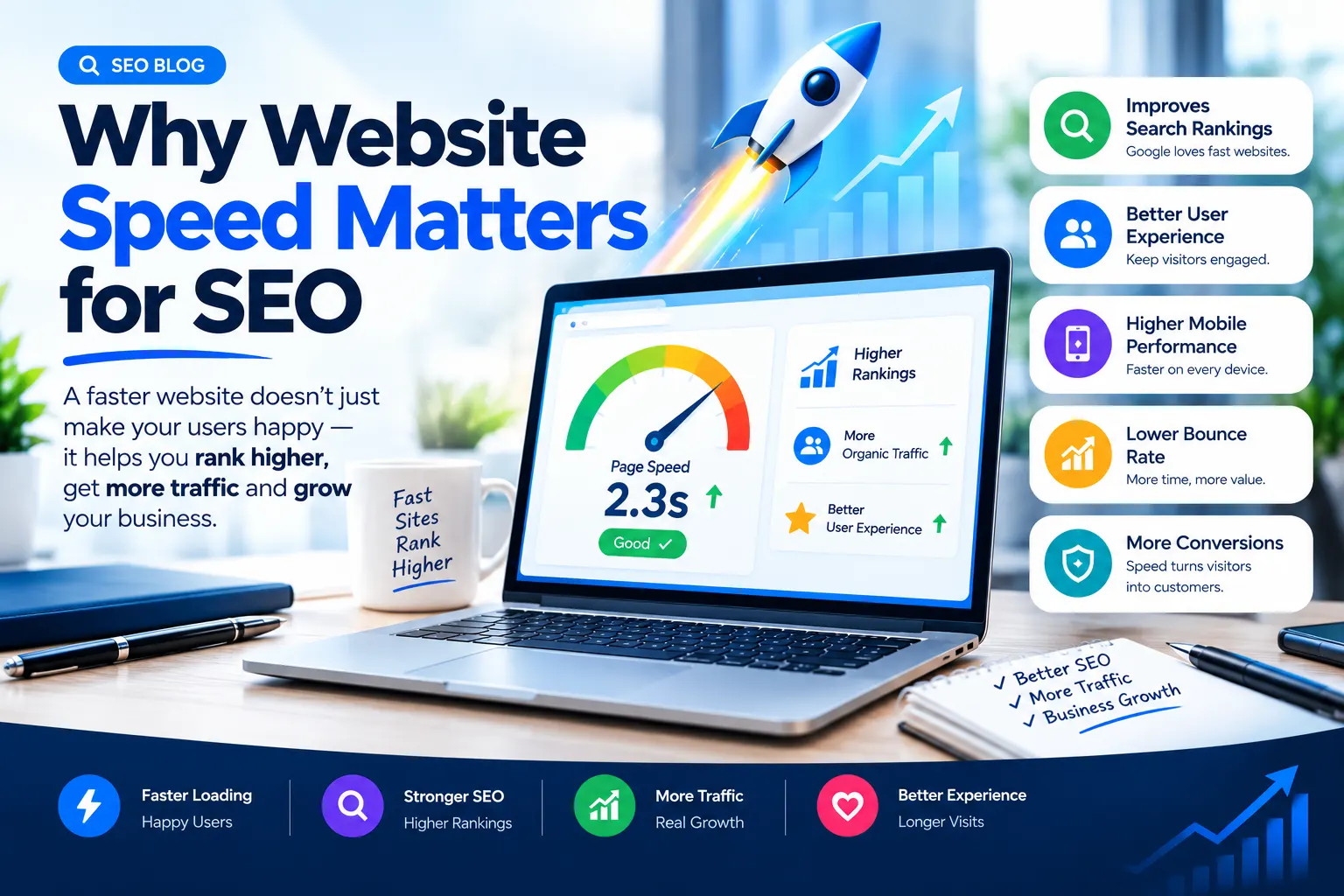
Website speed matters because search engines want to provide users with useful results and a good experience. Performance is one part of the broader page experience that website owners should consider.
However, it is important to understand one thing clearly:
A faster website does not automatically rank higher than every slower website.
SEO depends on many factors, including content relevance, search intent, website structure, links, technical accessibility, and user experience.
Speed should therefore be treated as one component of a complete SEO strategy.
Better User Experience
If the main content takes too long to appear, the visitor may become frustrated. On mobile devices, performance can be even more noticeable because users may have limited bandwidth or less powerful hardware.
A faster experience makes it easier for users to:
Read content
Navigate between pages
Open menus
Submit forms
View images
Complete purchases
Interact with buttons
Better Mobile Experience
Mobile users are especially important because many websites receive a significant portion of their traffic from smartphones.
A page that contains oversized images and unnecessary scripts can consume more data and require more processing on a mobile device.
This is why website speed optimization should not focus only on desktop computers.
Better Page Experience
Google uses page experience signals, including Core Web Vitals, to help evaluate aspects of the experience users have on webpages.
This does not mean that achieving a particular performance score guarantees better rankings. Instead, it means website owners should work toward providing a fast, responsive, and visually stable experience.
Performance Can Affect Business Results
Speed is not only an SEO concern.
For an e-commerce website, a slow product page can make it harder for customers to browse products and complete purchases.
For a service website, a slow landing page can create friction before someone fills out a contact form.
For a blog, a slow page can make reading less comfortable.
So improving performance can have value beyond search rankings.
How Images Affect Website Performance
Images are often one of the largest resources on a webpage.
A modern website may contain:
Hero images
Product photos
Blog images
Icons
Banners
Infographics
Screenshots
Background images
Images improve visual communication, but large files can increase page weight.
Consider a simple example.
A blog contains ten images, and each image is approximately 1 MB.
That means the images alone could represent around 10 MB of data before considering HTML, CSS, JavaScript, fonts, and other resources.
If those images are resized and compressed appropriately, the total amount of data can be significantly reduced.
The goal is not to remove images from your website.
The goal is to deliver the right image at the right size and quality for the user's device and context.
Why Large Images Cause Problems
Large images can:
Increase page size
Take longer to download
Consume more bandwidth
Delay important visual content
Affect performance on mobile connections
This is why image optimization should be included in your overall website speed optimization process.
What Are Core Web Vitals?
Core Web Vitals are a set of metrics designed to measure important aspects of webpage user experience.
The current Core Web Vitals focus on three areas:
LCP – Largest Contentful Paint
LCP measures the loading performance of the largest visible content element in the viewport.
This element could be a large image, heading, or another major content element.
If your main hero image is extremely large and takes a long time to load, it can contribute to poor loading performance.
Improving image delivery, reducing server delays, and removing unnecessary render-blocking resources can help address loading problems.
INP – Interaction to Next Paint
INP measures how responsive a webpage is to user interactions.
For example, when someone clicks a button, opens a navigation menu, or interacts with a form, the page should respond without unnecessary delay.
Large amounts of JavaScript and inefficient scripts can contribute to interaction problems.
CLS – Cumulative Layout Shift
CLS measures unexpected movement of content while a page is loading.
Imagine clicking a button, but just before you click, an image loads above it and pushes the button downward. This creates a poor experience.
One way to reduce layout shifts caused by images is to reserve the appropriate space for them by specifying their dimensions.
Quick Tip:
Don't focus only on the overall speed score shown by a testing tool. Look at the specific opportunities and diagnostics that explain what is actually slowing down your page.
How to Optimize Website Speed
Website speed optimization involves several areas. You do not always need to implement every technique. Start with the issues that are actually affecting your website.
Choose Reliable Hosting
Your hosting environment can influence server response and how quickly your website begins delivering content.
Cheap or poorly configured hosting may struggle when a website receives more traffic or requires more server resources.
Choose hosting based on your website's needs, traffic, technology, and available resources.
A small portfolio website may have very different requirements from a large e-commerce website.
Use a Lightweight Theme
A website theme controls much more than visual appearance.
Some themes include large numbers of features, animations, scripts, widgets, and design components that you may never use.
Unnecessary functionality can increase the amount of code that the browser needs to process.
A lightweight theme with only the required functionality can make optimization easier.
For WordPress websites, avoid choosing a theme only because it has hundreds of features.
Reduce Unnecessary CSS and JavaScript
CSS controls the visual styling of your website, while JavaScript provides functionality and interactive features.
Unused CSS and unnecessary JavaScript can increase the amount of work required to render and interact with a webpage.
You can improve performance by:
Removing unused code
Reducing unnecessary scripts
Minifying files
Loading scripts only where required
Avoiding unnecessary third-party resources
The goal is not to remove JavaScript blindly. Some scripts are necessary for the website to function.
Enable Browser Caching
Caching allows browsers to store certain resources temporarily.
When a returning visitor opens your website again, the browser may be able to reuse resources instead of downloading everything again.
This can reduce repeated downloads and improve the experience for returning users.
Caching can be configured through your hosting environment, caching system, CDN, or website platform.
Use a Content Delivery Network
A Content Delivery Network, commonly called a CDN, uses a network of servers to deliver website resources from locations distributed across different regions.
For websites with visitors in multiple geographic locations, a CDN can help deliver static resources more efficiently.
CDNs can be particularly useful for:
Images
CSS files
JavaScript files
Fonts
Other static resources
A CDN is not a replacement for proper optimization. A poorly optimized 5 MB image is still a poorly optimized image even if it is delivered through a CDN.
Optimize Fonts
Fonts can also affect website performance.
Using too many font families, weights, and styles can increase the number and size of resources that need to be loaded.
For better performance:
Use fewer font families
Load only required font weights
Avoid unnecessary font variations
Use modern font delivery practices
Check whether system fonts can meet your design requirements
Typography is important, but unnecessary font resources should not slow down the page.
Remove Unnecessary Plugins and Scripts
WordPress websites often use plugins for additional features.
Plugins are useful, but installing too many can add unnecessary code and resources.
Review your plugins regularly.
Ask:
Do I still need this plugin?
Is another plugin already providing the same feature?
Does this plugin load resources on every page?
Is the feature important enough to justify the performance cost?
Remove plugins and scripts that are not necessary.
Improve Mobile Performance
A website should be tested on mobile as well as desktop.
Pay particular attention to:
Image dimensions
Image file sizes
JavaScript
Font loading
Navigation
Layout shifts
Interactive elements
A page that looks good on a large desktop monitor may still be difficult to use on a smartphone.
Quick Tip:
Open your website on an actual mobile device after optimization. A performance report is useful, but real-world testing can reveal issues that are easy to miss.
How to Optimize Images for SEO
Image optimization is more than adding alt text.
A complete image optimization process includes file size, dimensions, format, filename, alt text, responsive delivery, and loading behavior.
Compress Images
Compression reduces the amount of data stored in an image file.
There are two broad approaches:
Lossy compression reduces file size by removing some image information. It can provide significant size reductions, but excessive compression may reduce visual quality.
Lossless compression reduces file size without intentionally removing image information, although the size reduction may be smaller.
Choose compression based on the image type and how much quality is required.
For example, a large decorative image may tolerate stronger compression than an image containing detailed text or an important product image.
Resize Images
Compression alone is not enough.
Suppose your website displays an image at 800 pixels wide, but you upload a 4000-pixel-wide image.
The browser may receive a much larger image than necessary.
Resize images according to their intended display size and responsive requirements.
This can reduce unnecessary data transfer.
Add Useful Alt Text
Alt text is used to provide a textual description of an image.
It can help users who cannot see the image and can provide search engines with additional context.
For example, if an image shows a PageSpeed performance report, an appropriate alt text could be:
website speed performance report
A poor approach would be:
SEO website speed SEO optimization SEO images
The second example is keyword stuffing rather than useful image description.
Alt text should describe what the image actually shows.
Decorative images may not need descriptive alt text.
Use Responsive Images
The same image does not necessarily need to be delivered at the same size to every device.
A desktop screen may display a large image, while a smartphone may display a much smaller version.
Responsive image techniques allow browsers to select a suitable image resource based on the user's device and display requirements.
This helps reduce unnecessary data transfer.
Use Lazy Loading
Lazy loading delays the loading of certain images until they are closer to entering the user's viewport.
For example, imagine a long article containing 15 images.
Images near the bottom of the article do not necessarily need to load immediately when the page first opens.
Lazy loading can help reduce the amount of content loaded initially.
However, lazy loading should not be applied blindly to important above-the-fold images.
If the main image is critical to the initial page experience, delaying it unnecessarily can create another performance problem.
Specify Image Dimensions
Browsers need to know how much space an image will occupy.
Providing image dimensions helps the browser reserve the required space before the image finishes loading.
This can help reduce unexpected layout movement and improve visual stability.
This is especially important for images that appear near the top of a webpage.
Use Image CDNs When Appropriate
For websites with large numbers of images, an image CDN can provide additional optimization and delivery capabilities.
Depending on the service, an image CDN may help with:
Resizing
Compression
Format conversion
Image delivery
Responsive image generation
However, the underlying principle remains the same: deliver an appropriately sized and optimized image to the user.
What are the steps for Optimizing an Image ?
Following are the steps by which users can Optimize an Image :
Step 1 — Resize the Image
Reduce the dimensions to a size suitable for the page layout.
Step 2 — Compress the Image
Compress the image while maintaining acceptable visual quality.
Step 3 — Choose a Suitable Format
Convert the image to WebP or another suitable modern format if it provides a useful size and quality advantage.
Step 4: Rename the File
Change:
IMG_9847.jpg
to:
website-speed-optimization.jpg
Step 5: Add Alt Text
Use an accurate description such as:
website speed optimization illustration
Step 6: Use Responsive Delivery
Make sure the website can serve an appropriate image size for different screen widths.
Step 7: Check Loading Behavior
If the image is below the initial viewport, lazy loading may be appropriate. If it is an important above-the-fold image, avoid unnecessarily delaying it.
The important point is that image optimization is a combination of several practices rather than one single setting.
How to Check Website Speed and Image Performance
After making optimization changes, you need to test the results.
Google PageSpeed Insights
PageSpeed Insights can analyze a webpage and provide performance information along with recommendations.
You can use it to identify issues related to:
Loading performance
Interactivity
Visual stability
Images
JavaScript
CSS
Other resources
Test individual URLs rather than assuming that one result represents every page on your website.
Google Search Console
Google Search Console provides information about how your website performs in Google Search.
It also provides Core Web Vitals reporting for eligible websites.
This can help you understand performance issues across groups of URLs rather than looking at only one test.
Lighthouse
Lighthouse is a website auditing tool that can provide reports covering areas such as:
Performance
Accessibility
Best practices
It can be useful during development and optimization.
GTmetrix
GTmetrix provides detailed performance reports that can help you investigate page resources and identify possible performance bottlenecks.
Quick Tip:
Test the same URL before and after making a major optimization. This gives you a clearer idea of whether your changes actually improved the page.
Common Website Speed and Image SEO Mistakes

Uploading Huge Images
Uploading original camera images directly to a website can create unnecessary page weight.
Better approach: Resize and compress images before publishing them.
Using the Same Image Size Everywhere
A 3000-pixel-wide image is not always necessary for a small mobile display.
Better approach: Use responsive image delivery and appropriate dimensions.
Ignoring Image Format
Using a less efficient format when a better option is available can increase file size.
Better approach: Select the format based on image type, quality, transparency, and browser requirements.
Keyword Stuffing Alt Text
Alt text should describe an image, not act as a list of SEO keywords.
Better approach: Write concise and accurate descriptions.
Lazy Loading Every Image
Lazy loading every image can delay important content.
Better approach: Use lazy loading for appropriate below-the-fold images while prioritizing important visible content.
Ignoring Image Dimensions
Images without appropriate dimensions can contribute to layout movement.
Better approach: Reserve the correct amount of space for images.
Installing Too Many Plugins
Adding plugins without considering their performance impact can increase unnecessary resources.
Better approach: Keep only the plugins and features your website actually needs.
Focusing Only on a Performance Score
A score is useful for identifying potential problems, but it does not represent every aspect of website quality.
Better approach: Look at specific metrics, real user experience, Core Web Vitals, content quality, usability, and technical SEO together.
Optimizing Desktop but Ignoring Mobile
A website can behave differently on different devices.
Better approach: Test important pages on mobile and desktop.
Key takeaways
Website speed optimization helps webpages load and respond more efficiently.
Large and unoptimized images can significantly increase page weight.
Compress images while maintaining acceptable visual quality.
Resize images according to their actual display requirements.
Use appropriate formats such as WebP, AVIF, JPEG, PNG, or SVG depending on the image.
Use descriptive image filenames instead of generic names.
Write useful and accurate alt text without keyword stuffing.
Use responsive images to avoid delivering unnecessarily large files.
Use lazy loading where appropriate, especially for suitable below-the-fold images.
Specify image dimensions to help reduce layout shifts.
Hosting, caching, CSS, JavaScript, fonts, plugins, and CDNs can all affect website performance.
Core Web Vitals help measure loading, responsiveness, and visual stability.
Test your pages with tools such as PageSpeed Insights, Search Console, Lighthouse, and GTmetrix.
Website speed is only one part of SEO and does not guarantee higher rankings by itself.
FAQs
Does website speed affect SEO?
Yes, website performance is part of the broader page experience, but speed is only one of many factors involved in SEO.
How do images affect website speed?
Large and unoptimized images increase page weight and can require more time and data to download.
What is image optimization for SEO?
Image optimization involves compressing, resizing, formatting, naming, and delivering images efficiently while providing useful context.
Which image format is best for SEO?
There is no single best format for every image; WebP, AVIF, JPEG, PNG, and SVG can each be useful in different situations.
Does image compression improve website speed?
Yes, reducing unnecessary image file size can reduce the amount of data that needs to be downloaded.
What is lazy loading?
Lazy loading delays the loading of certain resources until they are closer to being needed by the user.
Ready to grow with AI-powered marketing?
Book a free 30-minute strategy call with the Arena Infosolution team.
About the author
Arena Infosolution SEO Team — SEO specialists focused on website performance, on-page SEO, and image optimization. The team creates practical, research-based content to help businesses improve website speed, user experience, Core Web Vitals, and search visibility.
Get a free growth consultation
Tell us what you're working on and a senior strategist will map your next move.